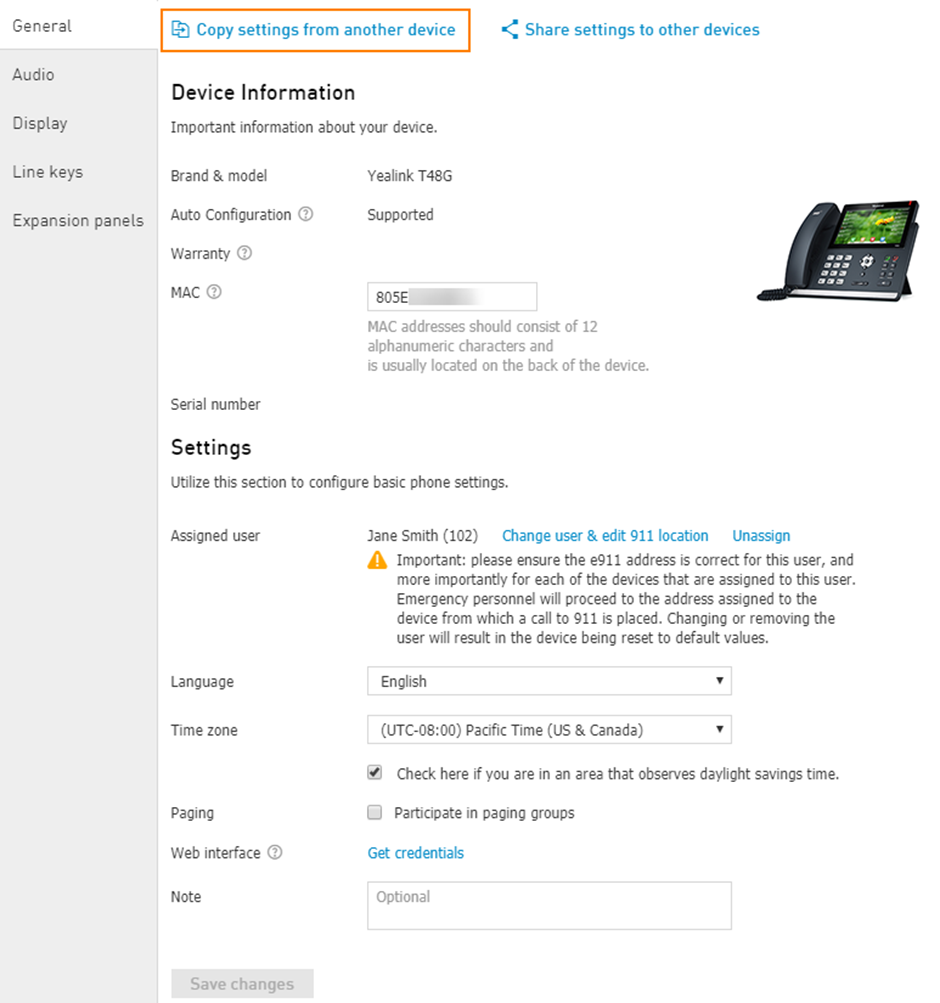
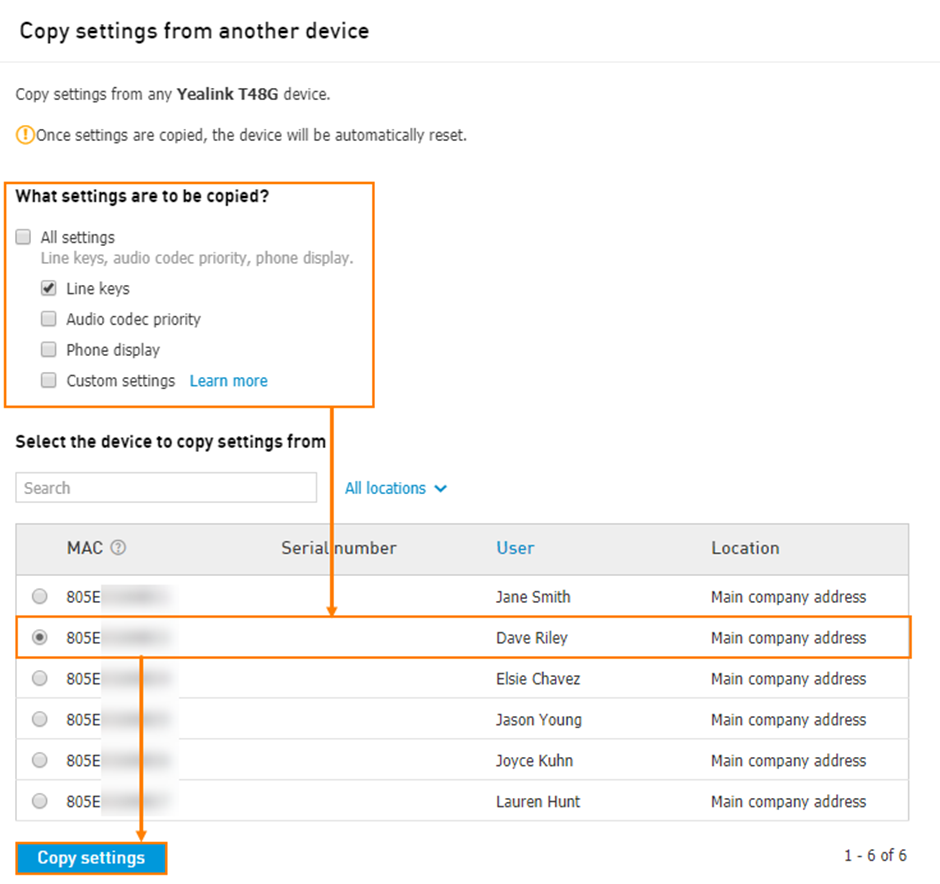
Copy line keys from another device
To copy line keys from another device of the same make and model navigate to Services > Elevate > Devices > click on the name of the device > click on the link Copy settings from another device.
Important: All line keys will be copied except custom ones. All existing line keys on the target device will be overwritten. First line key (Line 1) is never copied. Settings are copied as they are: for example, if there was a line key made to access the User's A voicemail, all the devices for which settings were copied will have a line key with the access to the voicemail of User A.