
Create a User
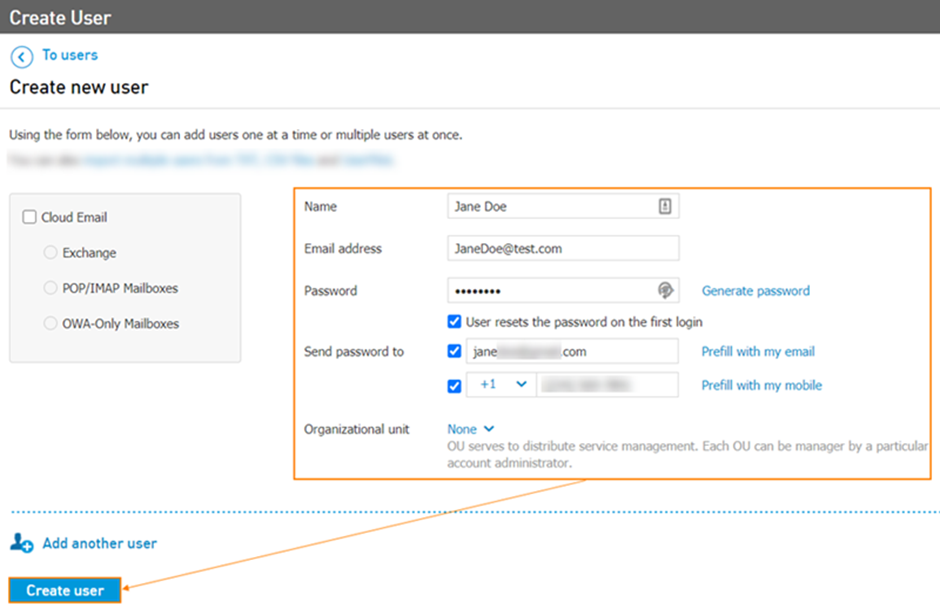
Navigate to the Users > Create User OR Services > Elevate > Users page and click the Create User button.
Enter the user's Name, E-mail address, and create or generate a Password.
Adjust the e-mail address in Send Password.
Click Create. The user will be created and you will be returned to the user list.
Note: the new user will receive a welcome email with login instructions and other useful information on the address you have specified in Email address field.
Creating multiple users
In order to provision multiple Elevate users at once, administrators can use Elevate User Import Tool. The tool allows importing up to 1,000 users from a file with Comma Separated Values - CSV format, maximum 2 MB in size. XLS and XLSX files will NOT be accepted.