Delete a User
Important: user(s) cannot be deleted if Elevate service is enabled for this user(s).
Disable Elevate for the user(s) as described in Disable Elevate for a User section of this article.
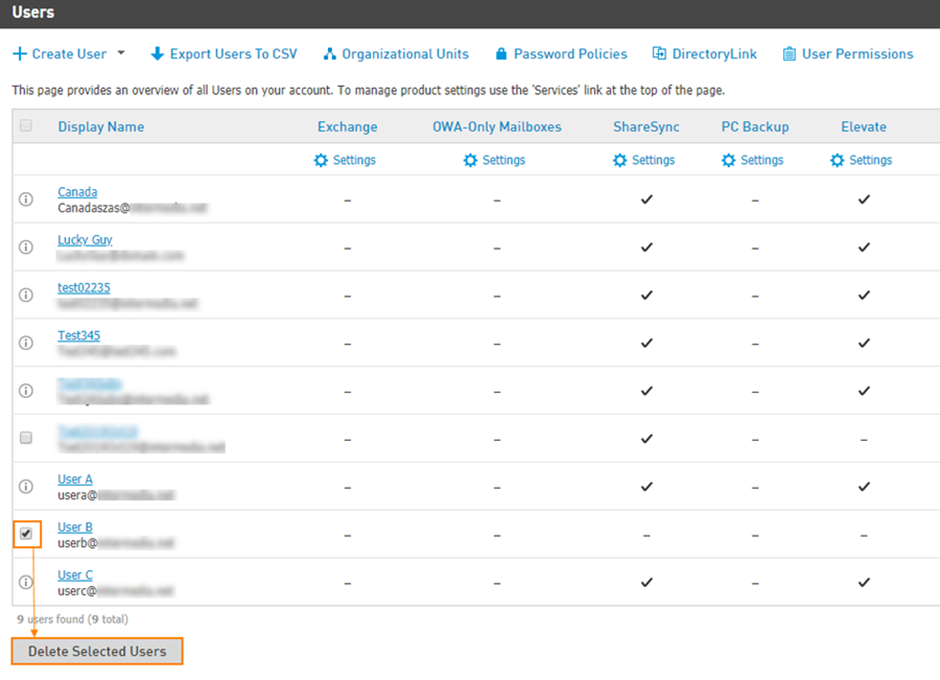
Go to Users on the top of the CONTROL PANEL Home screen and check the box next to the user(s) you disabled Elevate for in the previous step. Hit Delete Selected Users button to remove them from the account completely.