
Disable Elevate for a User
There are two ways to disable Elevate for a User:
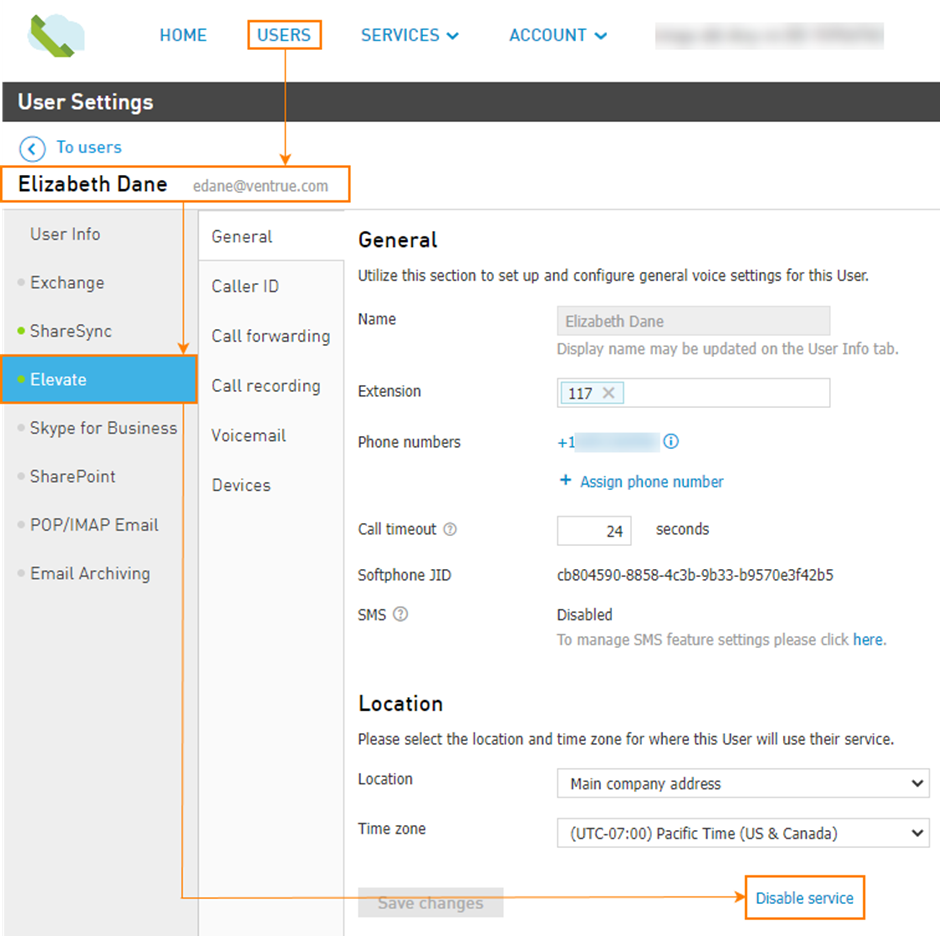
Navigate to the Users > Username > Elevate > General and click Disable Elevate at the bottom of the page and then click Disable Service.
OR
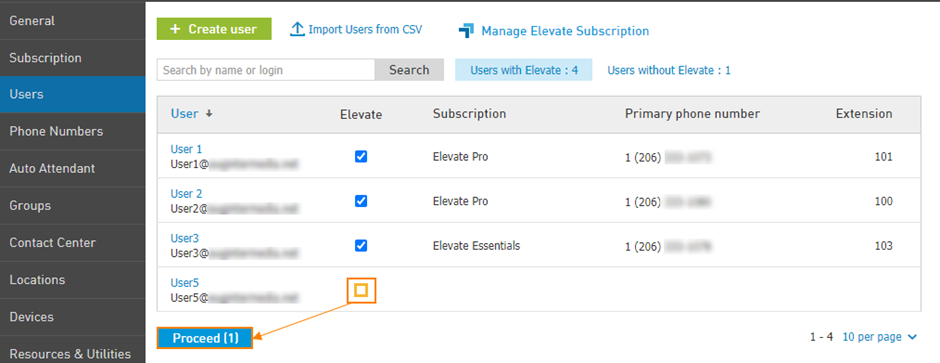
Navigate to the Services > Elevate > Subscriptions > Assign licenses.
Unassign subscriptions from an individual user or multiple users > uncheck Elevate for selected users > Proceed.
Notification window will appear, choose Confirm. The Elevate Subscription license will then become available, but will not be cancelled. Unassigned licenses do not result in changes to the bill.
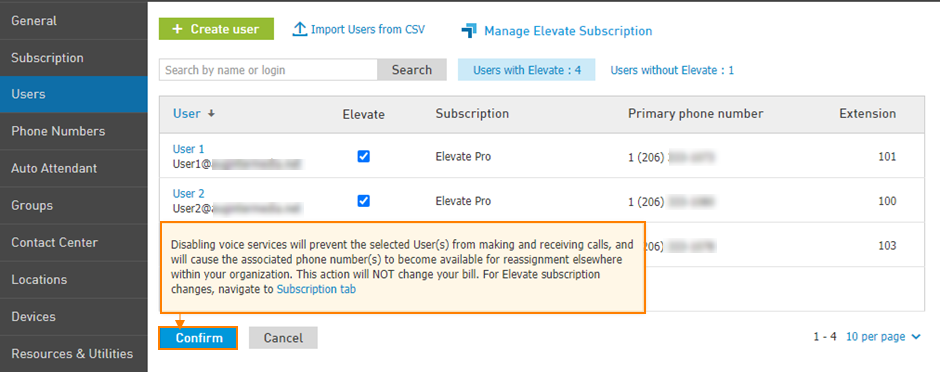
Note: the phone number assigned to the user will be released and added to the account's number pool.