Edit Web Fax settings / Delete Web Fax
To access your Web Fax general settings:
Navigate to Services > Elevate > Resources & Utilities > click on the fax name.
You can change the following settings on the General tab
Update the Name.
Reset the PIN.
Log in to the Web Fax inbox.
Change the Location
Note: You can not change the assigned phone number. To change the number you need to delete the web fax from the account and create a new one.
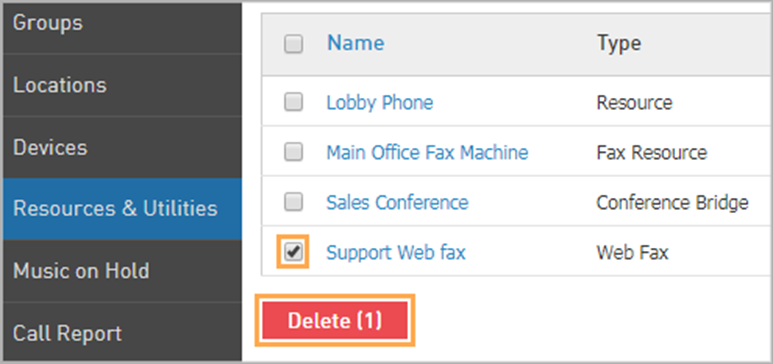
To delete a Web Fax:
Navigate to Services > Elevate > Resources & Utilities.
Check the Web Fax you wish to remove.
Click Delete.