
Enable Elevate for a User
Enabling Elevate is how a licence is applied to the user.
There are two ways to enable Elevate for a User:
Navigate to the Users > Username >Elevate > select Auto-assign a new number or choose a number from the list of Available/ unused phone numbers and click Enable Voice Services
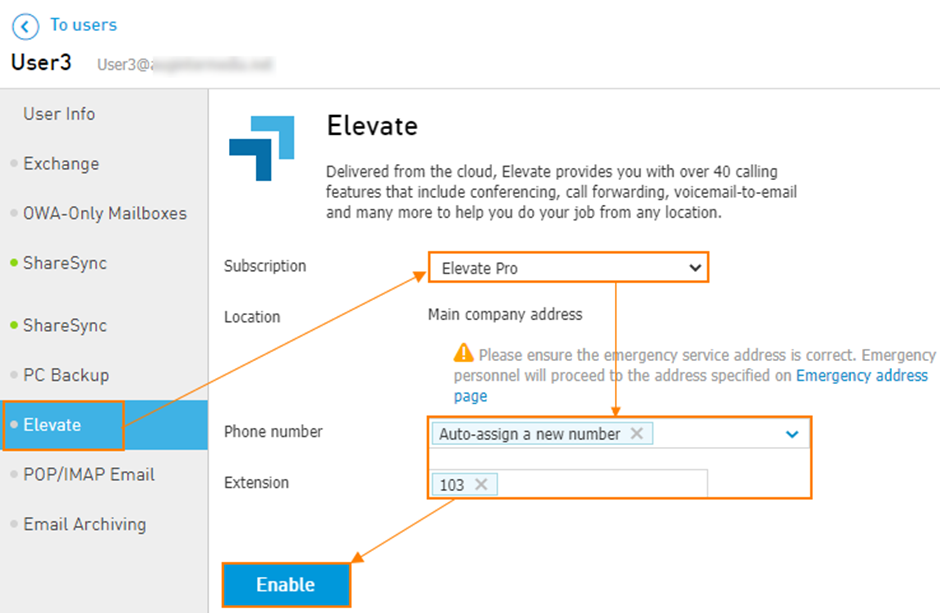
It will take around 30 seconds to configure a user.
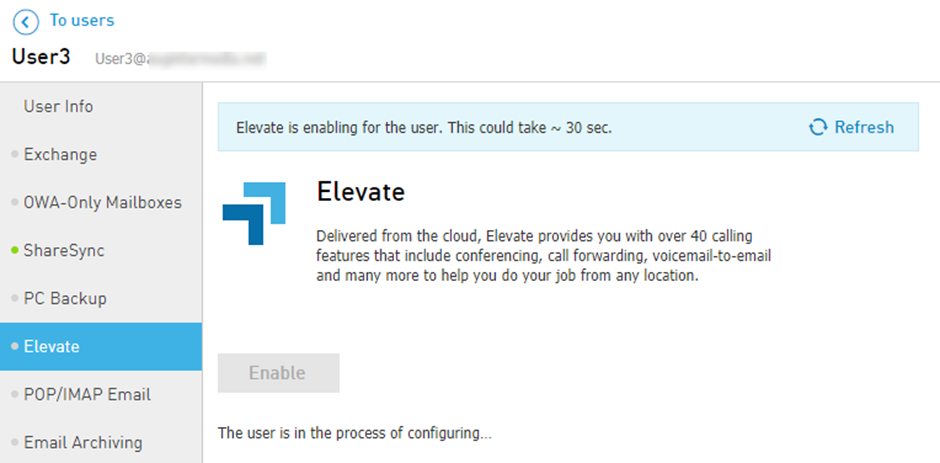
OR
Navigate to the Services > Elevate > Subscriptions > Assign Subscriptions.
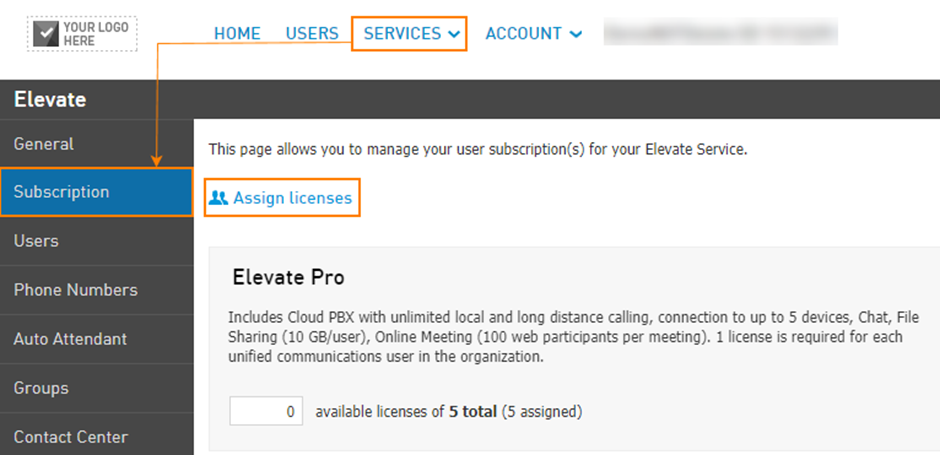
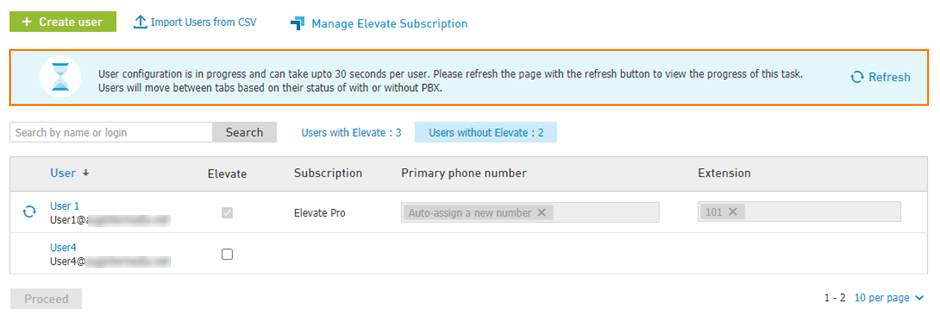
To assign licenses to an individual user or multiple users, click on Users without Elevate > check for selected users > Proceed.
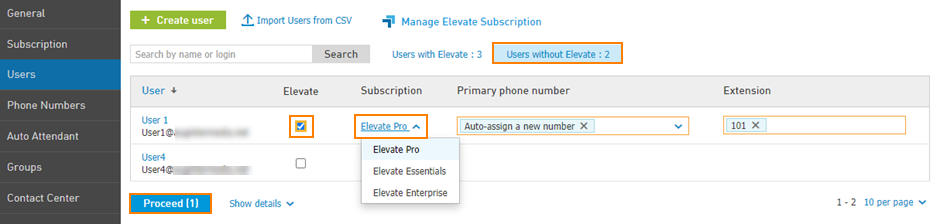
It will take around 30 seconds to configure a user.
Important: Elevate can be enabled for a user via User List/User Settings ONLY if there are enough available Elevate Subscription licenses, otherwise Not enough subscriptions error will appear.