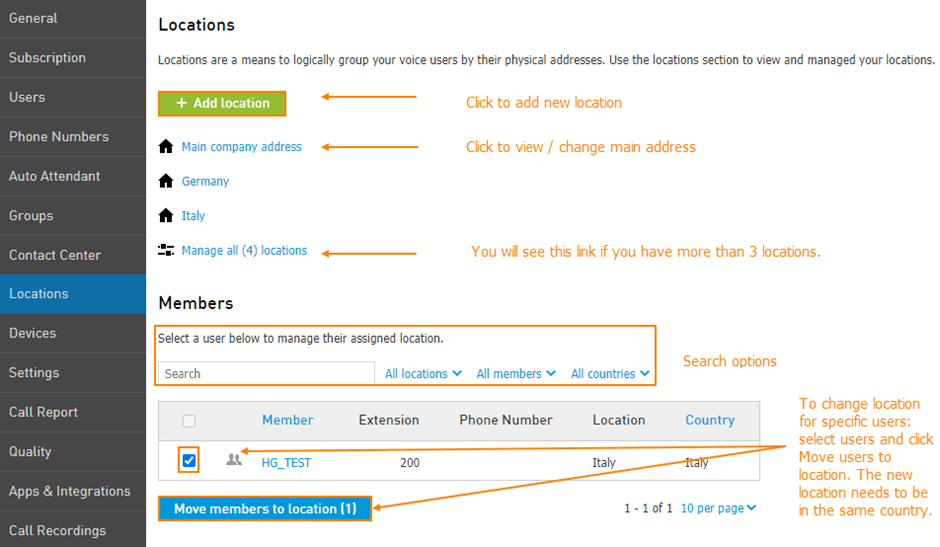
Locations
Locations allow you to logically group your voice users by their physical addresses.
Overview of Location page
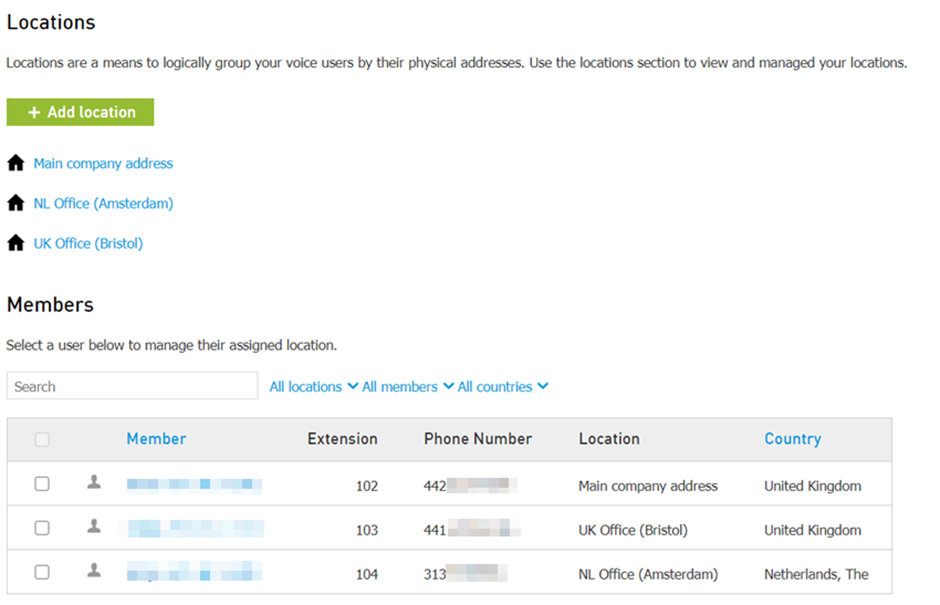
To manage locations login to CONTROL PANEL > Elevate > Locations.
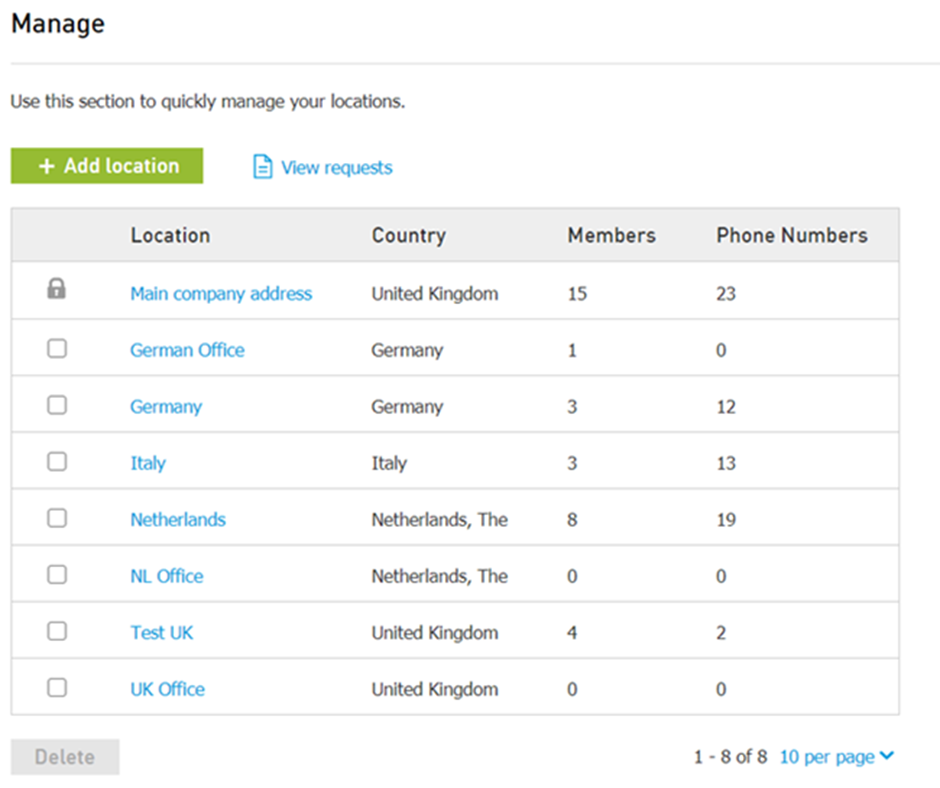
List of European locations includes country, members and phone numbers fields. The phone numbers field shows the number of DIDs ordered for the location.
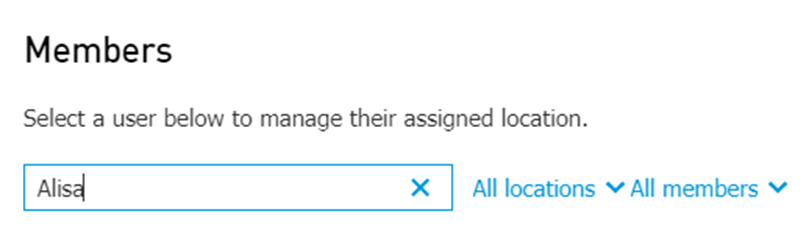
Search options
To search for specific member enter member's name in search field and click Search.
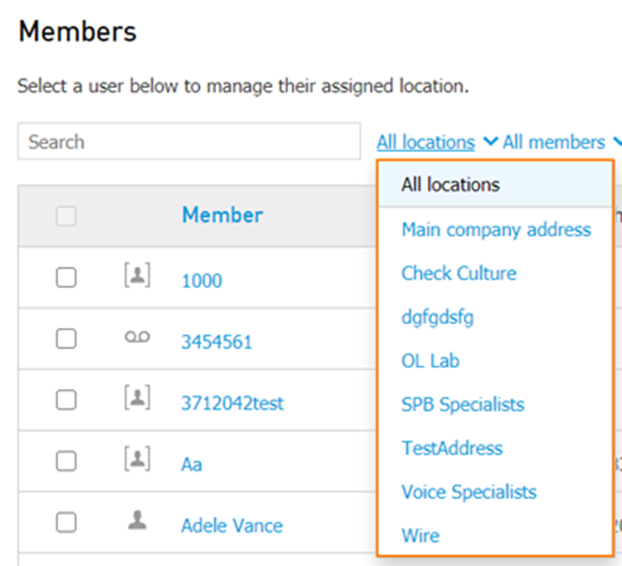
To search for all members at specific location click on All locations and select location from drop down.
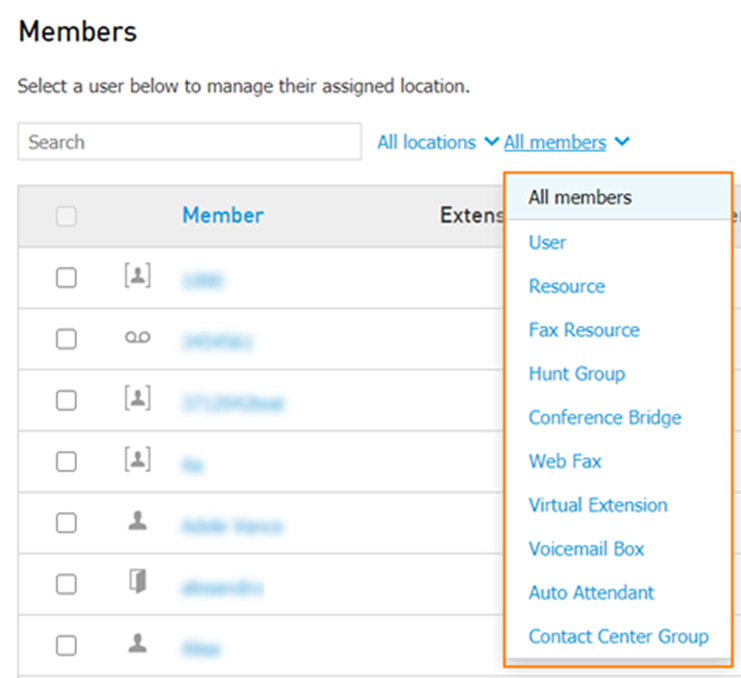
To filter members by a member type, click All members and select the type of the member.
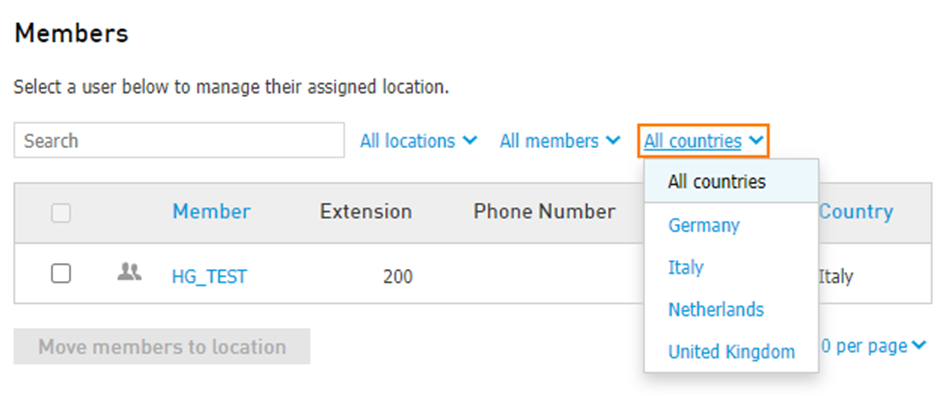
To filter members by country, click Countries and select country from drop down.
Add a new location
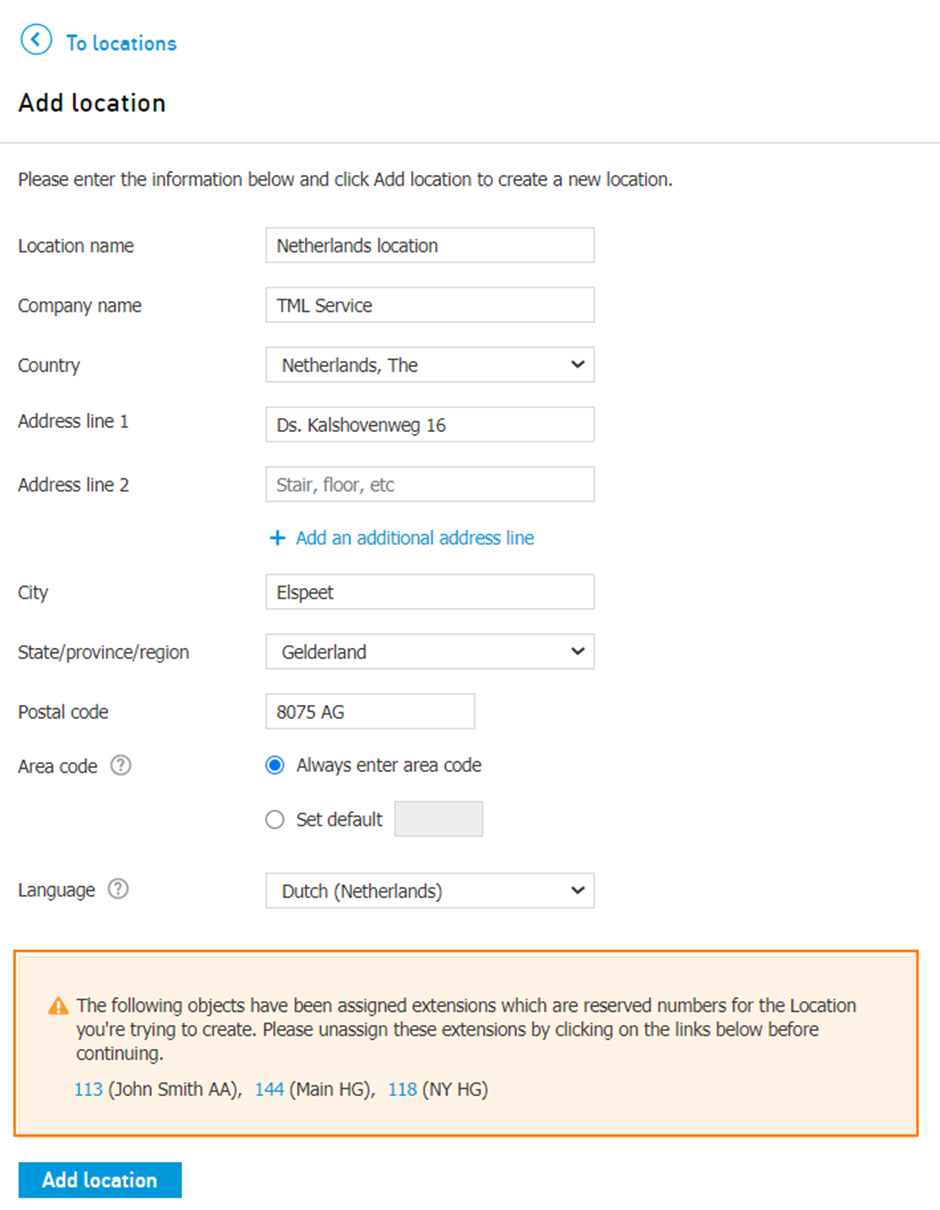
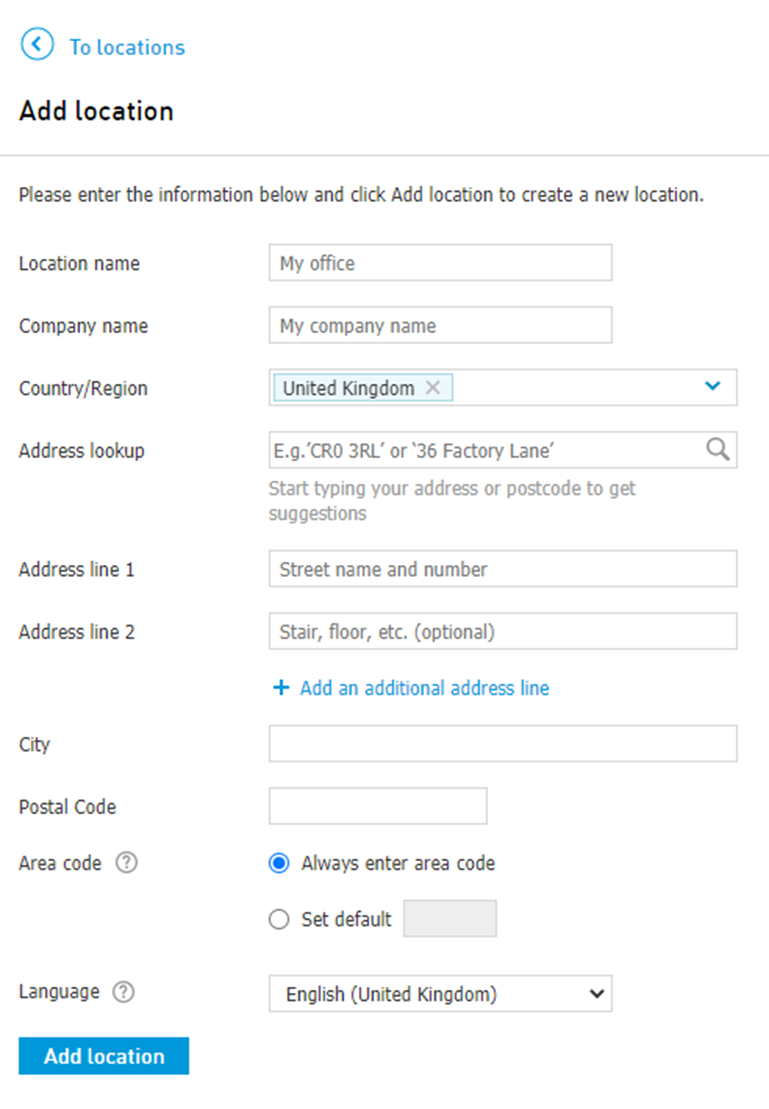
Navigate to Locations > Add location.
Fill in the requested information and click Add location
You can use the Address lookup field to look up an address and choose it from the list of results.
Note: you may see the following notification:

Review the address and click Add location again.
Company name is needed for phone number and Emergency Services requests and it could be different for different locations.
Country will be pre-filled based on the Main company address. Language is pre-filled based on the Country and can be changed during the creation of the Location.
State / Province field is not required and will be greyed out.
Important: when a location in a new country is being created, our system performs an emergency number check. If the emergency number is used as an extension, the location cannot be created.