Manage a User
You can manage additional parameters of the User that you have created.
Navigate to Users and click on the user's name you wish to manage.
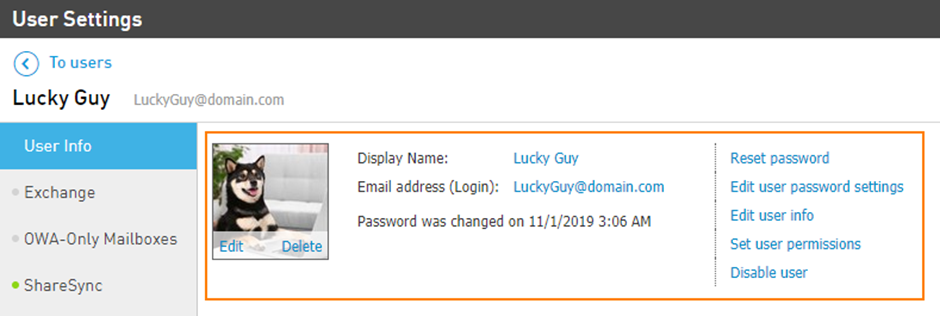
Click on the User Info tab to adjust general user configurations:
Upload Profile photo.
Change the user's Display Name.
Adjust their E-mail Address.
Reset Password for their user account.
Edit the users Password Settings; allow them to change their own password.
Add detailed User Info, like First/Last name, alternate e-mail addresses, cell number, department, and other information.
Disable the User.
Note: once disabled, users won't be able to use any Elevate features or devices. The data will remain on the server indefinitely and can be accessed again by re-enabling the user.