
Manage faxes
To view and manage your received faxes:
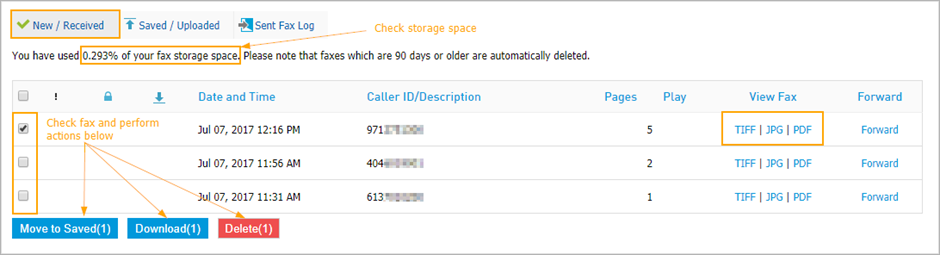
Navigate to Faxes > New / Received tab to view the list of received faxes for the last 90 days.
On this page you can:
View used fax storage space.
View received faxes in TIF, JPG, PDF.
Forward faxes to an email address or to a fax number.
Save faxes to store longer.
Download faxes.
Delete faxes.
Under Sent Fax Log you can check the status of sent faxes.
In order to set up your email notifications navigate to Settings > Notification
Note: if the "Attach the fax as a .PDF in the email notification" delivery option is selected, copies of outbound faxes sent to Email Addresses For Message Notification do not include the cover sheet.
Use "Include a link to the message in the email notification" if a coversheet needs to be included in the copy.
To view or download your fax history navigate to Settings > Call History.