Adding new members
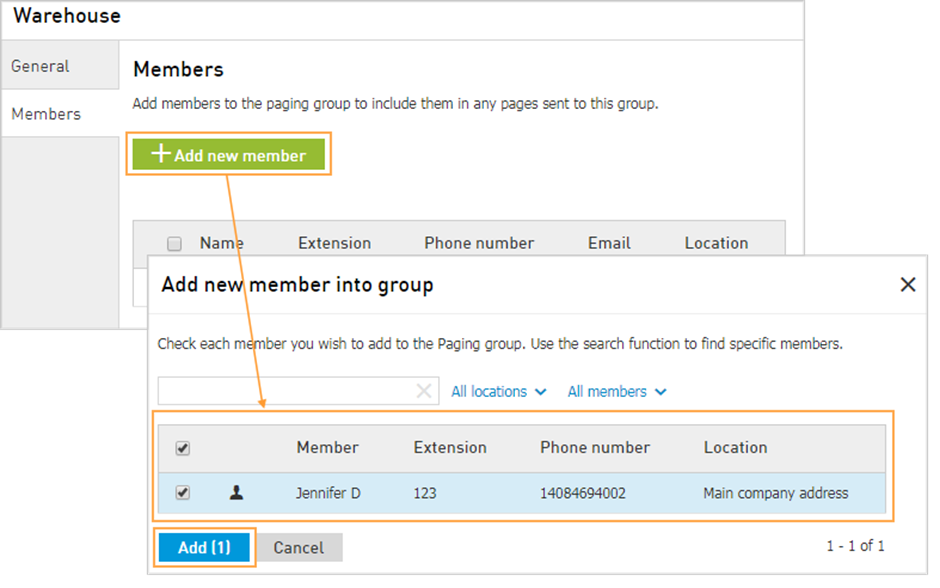
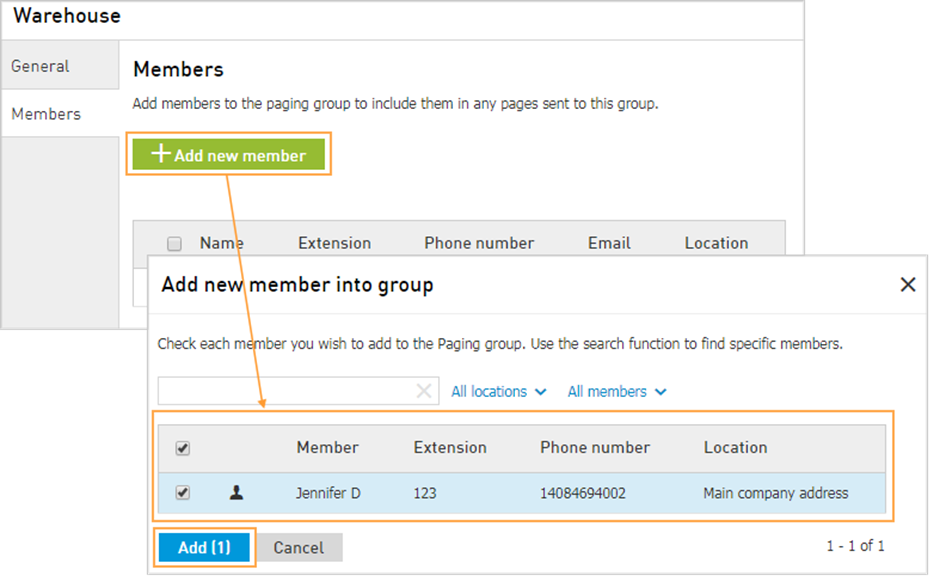
Access the Members Tab in order to add agents to the paging group:
Click on Add new member > Select from the list or use the Search field, then click the Add button. They are added to the list of agents at the bottom of the page.
To enter the names, you can type full display names or email addresses and click the Check icon.
Note: The limit for a Paging Group is 100 members. All members of this group will receive any pages sent to the extension number of the paging group.
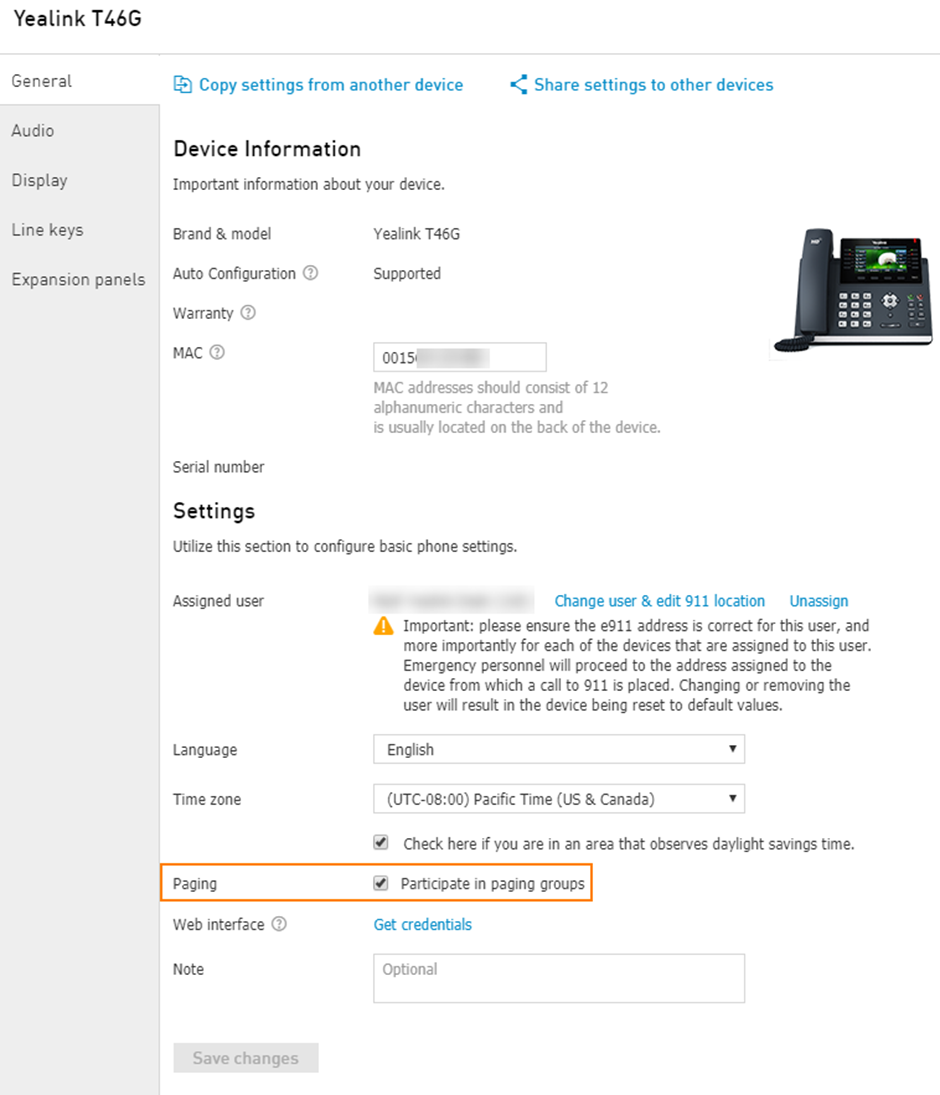
Important: Paging Group will work on a device only if it is a member of this group and has Participate in paging groups box checked. To make sure this feature is enabled navigate to CONTROL PANEL > Services > Voice Services > Devices > Click the name of the device > General > make sure the box Participate in paging groups is checked.