Assign log in & out buttons to a Elevate provisioned device (AHG)
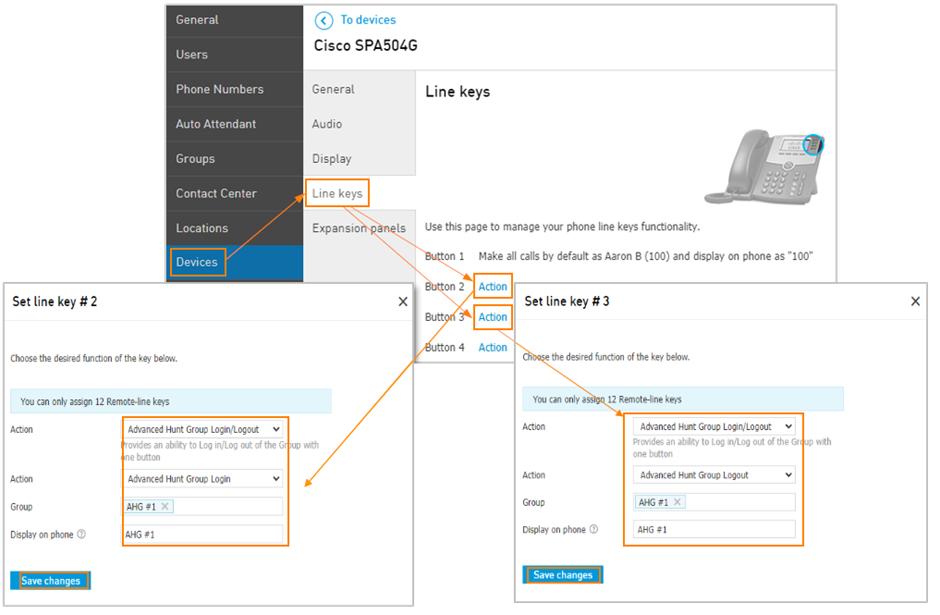
Navigate to the Devices tab and click the phone you wish to edit.
Click the Line keys settings tab.
Click Action next to the needed button.
Select Advanced Hunt Group Login/Logout.
Select the Action, either Advanced Hunt Group login or Advanced Hunt Group logout.
Specify the Advanced Hunt group the agent will log in or out of.
Adjust the Display on phone to an identifying name that will show next to the button on the device.
Make sure to also assign a log-out button to another action button.