Assigning Additional Phone Numbers to Auto Attendant
Navigate to CONTROL PANEL > Services > Elevate > Auto Attendant and click Auto Attendant Name.
Click Settings at the upper right corner.
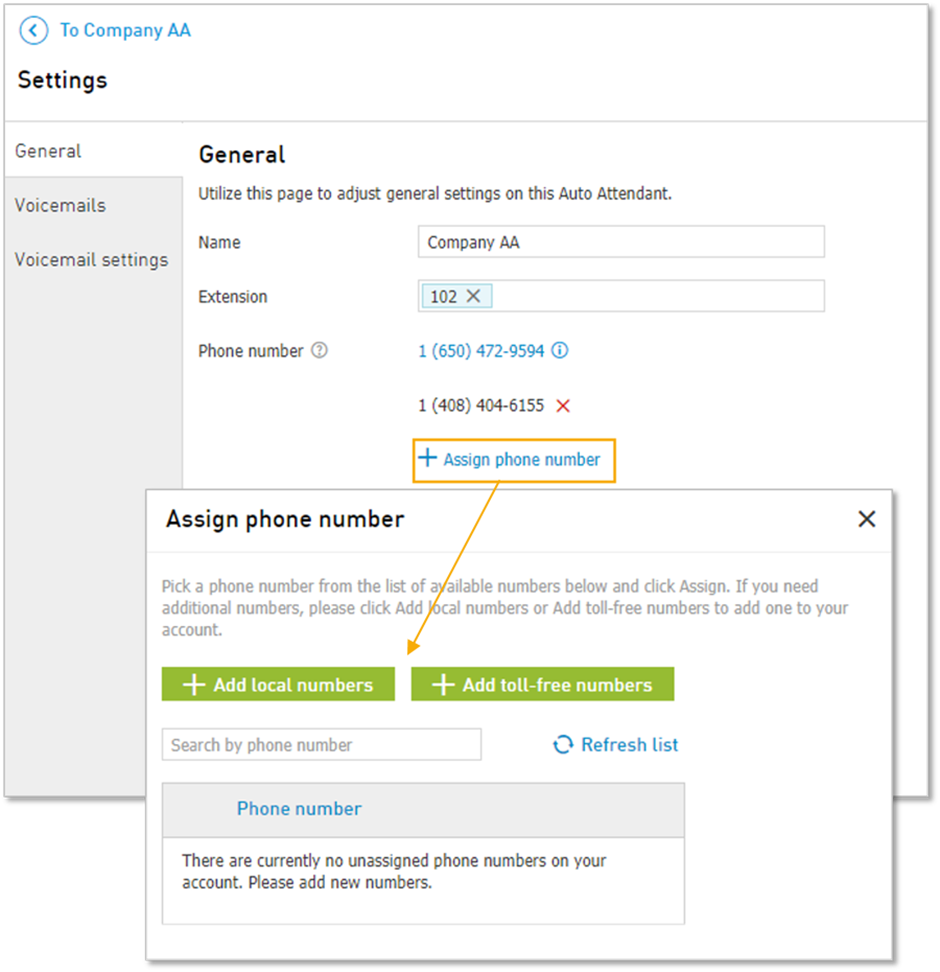
Click Assign phone number.
Choose one of the available numbers, or press Add local numbers or Add toll-free numbers to add new numbers. Once the number is selected, press Assign.
The numbers will appear one under another. Use X to unassign a number.
Note: the primary number cannot be unassigned. But it can be swapped with an unassigned number.