
Call Recordings
From this tab you can manage your recorded phone calls as well as set up notifications for it. You can search the call recordings by the number or agent as well as specify the search period.
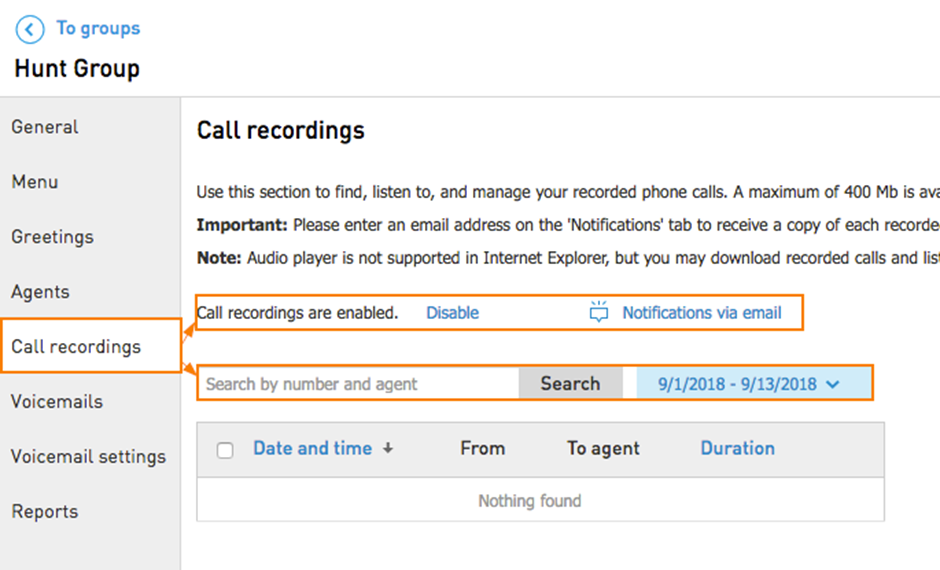
You can enable/disable call recording by clicking on Enable/Disable
Notification via email allows you to add an email address for the call recordings notifications.
Note: audio player is not supported in Internet Explorer, but you may download recorded calls and listen to them.
Call recording storage information:
Each Hunt Group may store up to 100 hours of Agent call recordings.
A warning email will be sent to the customer when storage reaches 80%, 90% and 100% of capacity.
Important: Once capacity has been reached, older call recordings will not be overwritten, so the storage will need to be cleared out. Additionally, when capacity has been reached, and a new call is recorded, it will not be stored on the account, however, if the customer has the option enabled to email the call recording to themselves, they will still receive that email containing the call recording.Hunt Group recordings stay in your recording storage until you delete them.