
Reports
eporting allows you to monitor various statistics for Hunt Groups and Agents.
Note: daily report information is stored for the last 3 months; monthly report information is stored for the last 3 years.
To view the reports:
Navigate to Services > Elevate > Groups
Click on the Hunt Group name
Click on Reports.
Choose the date and the agent you wish to view the report for.
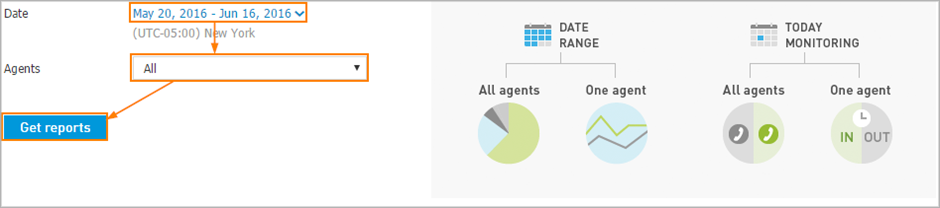
You will see different reports depending on your selection.
Date range — to view Historical call reports:
All agents
One agent
Today Monitoring — to view Active call reports:
All agents
One agents
If you have selected a date range and all agents, you will see:
Hunt Group Report:
total number of calls
number of immediately connected calls
connected after hold (calls connected to agent after holding in queue)
abandoned calls (caller hung up while in the waiting queue/was routed to voicemail from the waiting queue without being presented to an agent)
calls failed due to max callers in queue
average and max total call duration
average and max hold time
average and max talk time

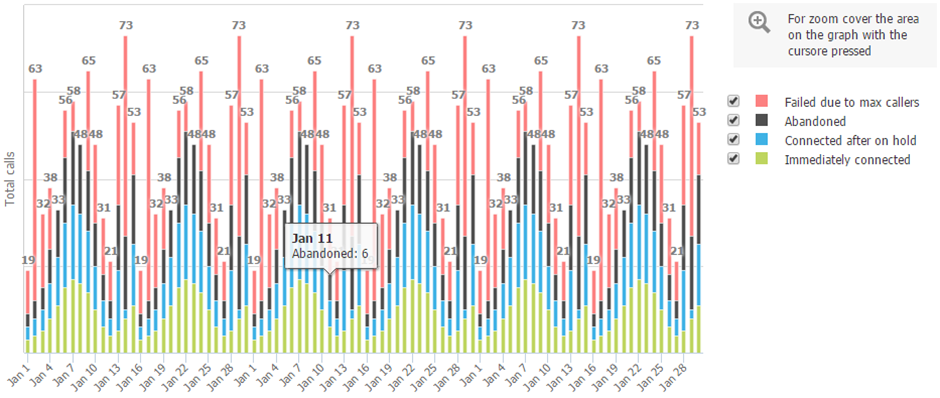
Call Statistics Report:
number of immediately connected calls
connected after hold (calls connected to agent after holding in queue)
abandoned calls (caller hung up while in the waiting queue/was routed to voicemail from the waiting queue without being presented to an agent)
calls failed due to max callers in queue
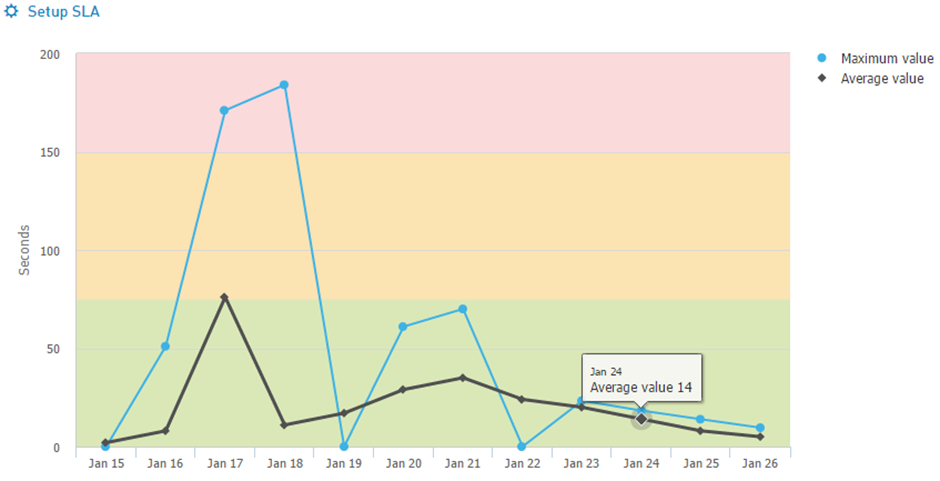
On hold time Report:
maximum on hold time
the average on hold time
calls with hold time within the primary and secondary SLA if it's setup
Talk time Report:
maximum talk time
average talk time
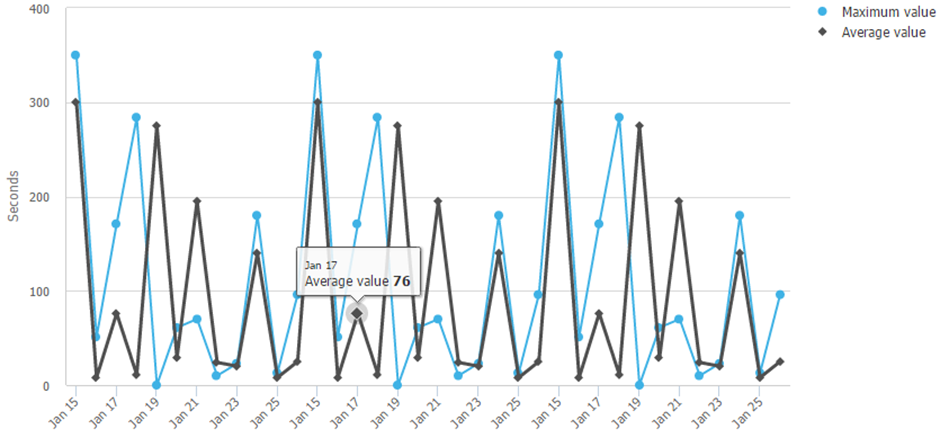
Call length time Report:
maximum total call time
average total call time
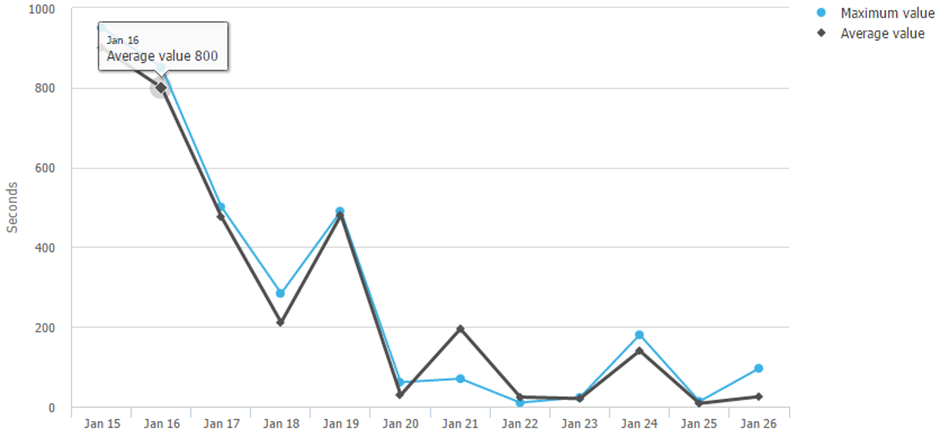
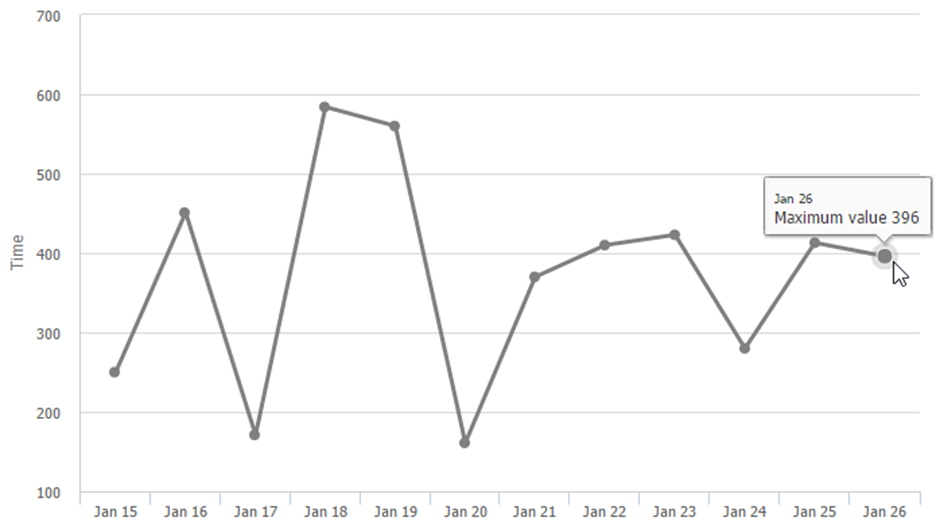
If you have selected a date range and one agent, you will see:
General Report:
total calls
rolled calls
maximum time logged in
maximum talk time
average talk time
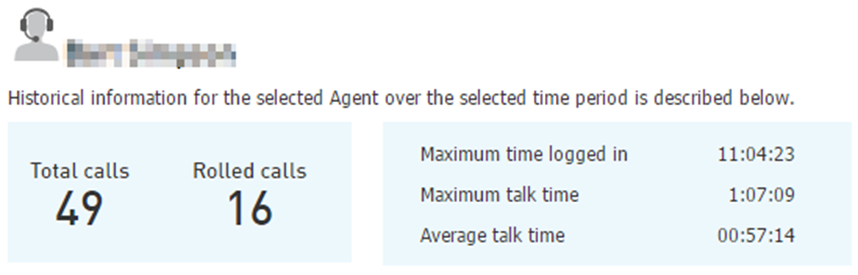
Calls Report:
total calls
rolled calls
calls per hour
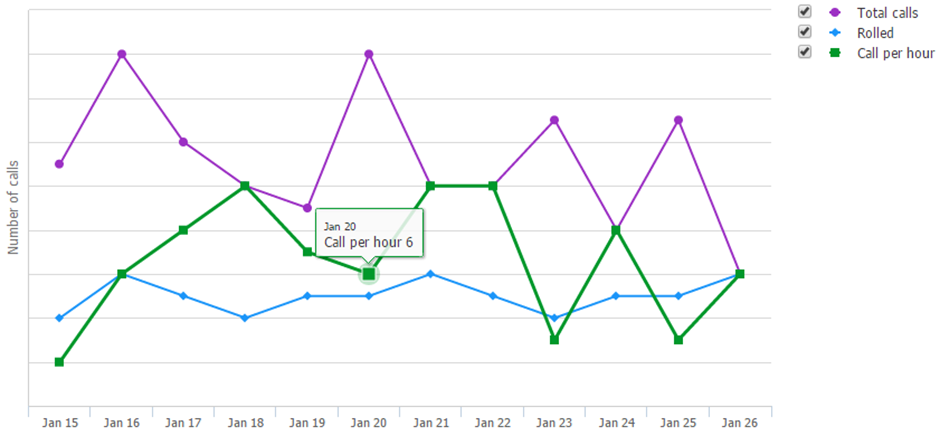
Talk time Report:
maximum talk time
average talk time
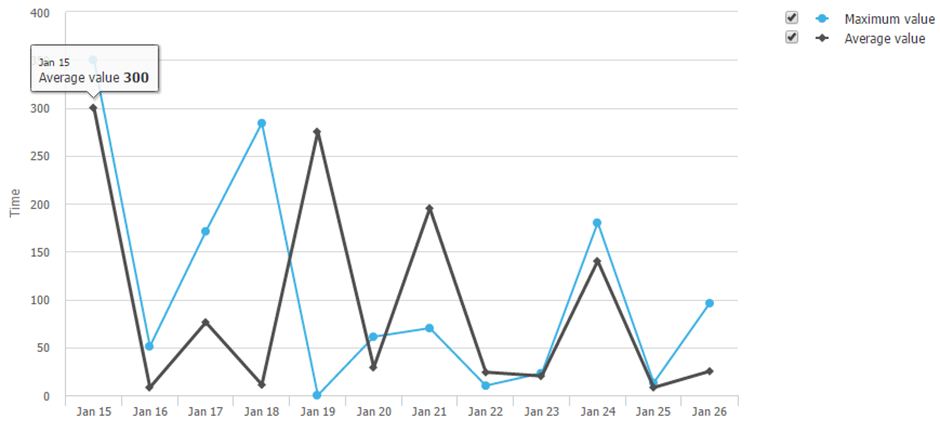
Max time logged in Report:
maximum time logged in
If you have selected today and all agents, you will see:
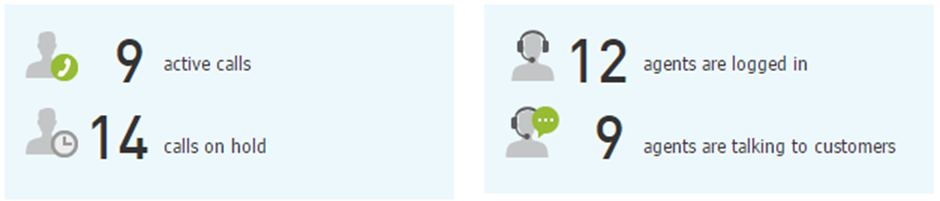
Active calls Report:
active calls
calls on hold
agents logged in
agents on active calls
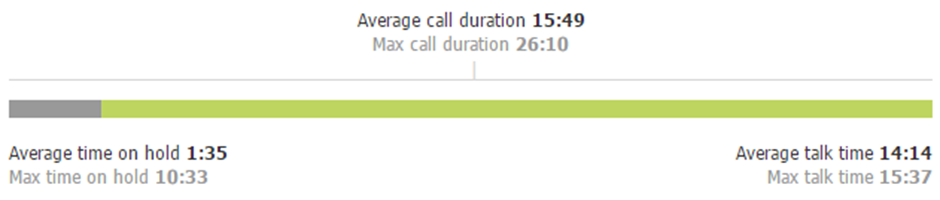
Average call information Report:
average call duration
maximum call duration
average time on hold
maximum time on hold
average talk time
maximum talk time
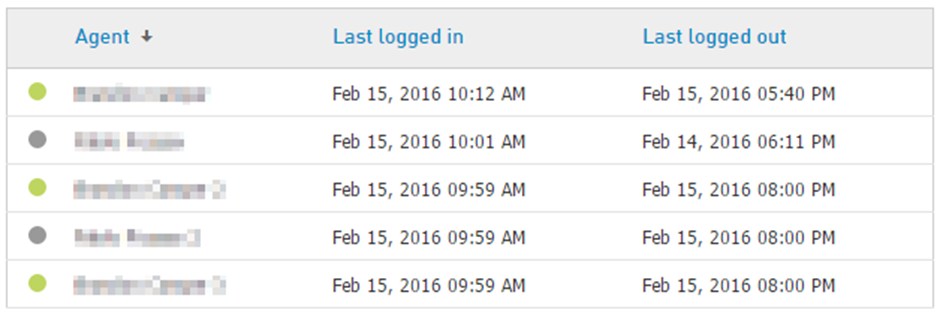
Agent logs Report:
agent name
last logged in time
last logged out time
If you have selected today and one agent, you will see:
Active calls Report per agent:
agent name
last logged in time
last logged out time

Additionally, if you have selected a date range and all agents, you may customise the colouring of the graph by creating a Service Level Agreement (SLA). Once report is generated navigate to Hold time section and click Setup SLA.
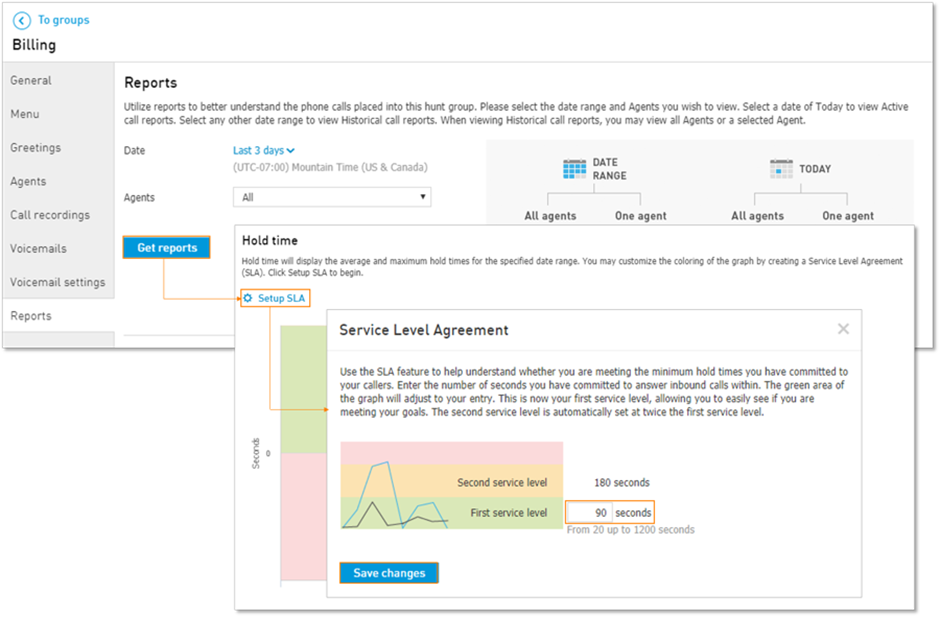
Enter the number of seconds from 20 up to 1200 you have committed to answer inbound calls within. This will be considered as SLA 1.
The second service level (SLA 2) is automatically set at twice the first service level.